
5 Reasons to Have Unifi in Your Company
When it comes to a corporate network with a large volume of information traffic, many connected devices, and high performance, the solution that stands out is Unifi. You’ve probably already seen one of these somewhere, in some large facility, with the classic blue or green light on. With Unifi, it’s possible to create homogeneous networks for large environments and for industries, with full control and security.
In this article we’ll go over 5 reasons to have Unifi in your company, and talk a bit about each one, shall we?
1 – Have a single network for the entire environment
It’s common in home use to have two or more AP (access point) devices from different brands with different configurations spread around the house to make better use of the wireless signal.
With Unifi, it’s possible to manage all devices at the same time. Through a controller, we create a single network, and all devices sync to it using the same password. In addition, as a person moves around the location, the devices hand the client off from one to another without ever disconnecting them.
2 – Browse at higher speed
Conventional APs have a speed limit of around 30/40 Mb of transfer, meaning that regardless of having a good contracted internet speed, that’s the maximum you’ll be able to use on each device.
Unifi, on the other hand, can deliver up to 800 Mb of speed for 2.5GHz connections and up to 1.7 Gb for 5GHz connections. As a bonus, the more recent Unifi APs identify the type of connection that’s best for you and deliver the network accordingly.
On conventional devices, some create up to 2 networks with the same name, labeling one as 2.4 and the other as 5G. In that case, the person needs to know which connection type is recommended for their use.
3 – Have different networks for different locations, all under control
With Unifi it’s possible to create 2 or more networks on the same device. Through the controller, you can actually create as many networks as you want, and even specify which APs will carry those networks and which won’t. For example, in the store building we have a “Customers” network that’s open to customers, but in the administrative building we don’t need this network, since everyone there is an employee.
In this case, we can optimize things so that network is only available in the right location. On top of that, here’s another bonus:
It’s possible to create an open network for customers that only works through vouchers. Vouchers are random passwords that can work for one or more devices, and it’s also possible to set an expiration for them, for example, a voucher for up to 2 devices, valid for up to 4 days.
After that period, the internet will no longer work on those devices. This type of service is typically used by hotels and events.
4 – How does security work with Unifi?
Now, going a bit deeper into the configuration, with Unifi it’s possible to create different VLANs. But what’s that for, anyway? Well, let’s see! A VLAN is a virtual local network. Generally, when everything is on a single network, security ends up having certain gaps, since the same network where the server, the checkout system, the camera system, the ERP, and others live is the same network that outside people would connect to.
VLANs exist exactly to avoid this kind of thing, since administrative and public networks would be kept in different places, and one wouldn’t have access to the other. One small note here: the controller supports the use of VLANs, but it doesn’t create or manage them; that needs to be done with a firewall device or something similar, depending on the environment.
5 – Extremely simple to install
Unifi devices start well ahead of the game already at the physical layer, since they support POE (Power over Ethernet) power, meaning they don’t require installing electrical power and power supplies at the installation site.
They can be powered either by POE injectors in the rack or through a POE-enabled switch, which would be ideal for reducing the amount of equipment and cabling. The connection ports on the most recent devices already operate at 10/100/1000 Mb, making the most of the network infrastructure.
In addition to all the advantages already mentioned above, during installation and planning it’s also possible to plan how many devices will be needed for each structure, and how the signal spreads using the heatmap tool.
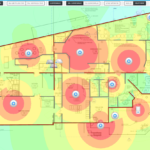
These are some of the advantages of having Unifi in your company, but we need to consider a few points that are crucial for the network to work well. The first of these is the management of the structure.
ACT Tecnologia offers a wireless network service with environment assessment, requirements gathering, budgeting, and full network monitoring. Any and all adjustments are made directly by the professionals who keep the environment under constant monitoring. Want to know more? Get in touch and request a quote, no strings attached.
We also offer free trials so quality can be verified in actual use. We look forward to hearing from you, see you next time!
Wireless or Wi-Fi, What Is It? And What’s the Difference?
We use wireless networks every day, but how does it actually work when we connect to our home or work network?
Wi-Fi is a standard that provides rules and specifications so that manufacturers can make equipment compatible with already-manufactured devices. It allows phones, tablets, or laptops to connect and establish communication with other devices. All Wi-Fi equipment is wireless, but not all wireless devices are Wi-Fi. Therefore, any connection that isn’t made through cables and whose purpose is exchanging information can be called wireless. For example: Bluetooth keyboards, wireless printers, infrared remote controls. All of these are forms of wireless connection.
Information is exchanged through electromagnetic radio waves that are able to propagate through the air. These waves are formed by the combination of electric and magnetic fields; through these waves it’s possible to watch TV, access the internet, listen to music, and even cook food in the microwave. In the following image we can see how radio waves work, ranging from low waves all the way to gamma rays. You can see that each frequency range is dedicated to a certain type of service. For example, in the case of Wi-Fi, it works at the frequencies 2.4GHz and 5GHz, but Bluetooth and microwaves also work at this same frequency, which can cause interference between them.
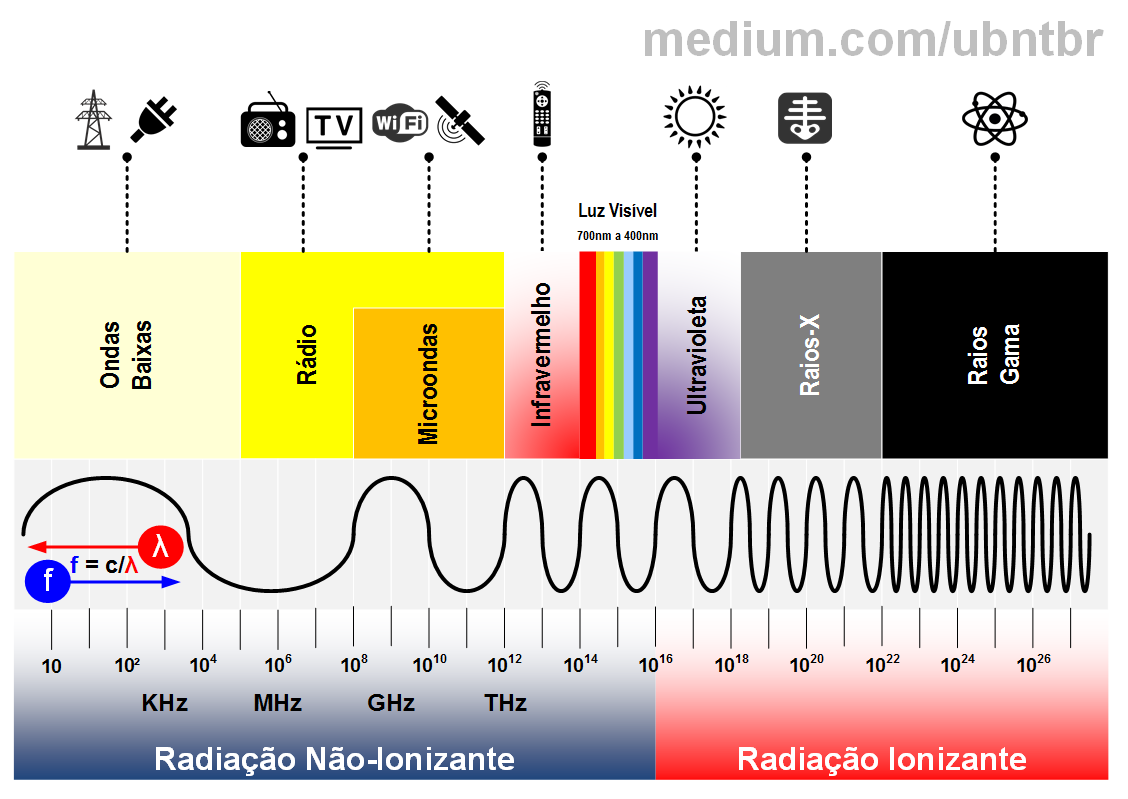
Source: (UbntBR) – https://medium.com/ubntbr
Most Wi-Fi equipment works at the 2.4GHz frequency, which can cause slowdown issues due to contention for the medium. However, equipment that operates in the 5GHz band is becoming increasingly common, which has expanded the adoption of wireless networks for high-performance environments.
2.4 or 5GHz?
When choosing a wireless access point, it’s important to pay attention to the operating frequency. In the case of 2.4GHz, wider signal coverage is a plus, but the connection speed is lower; in the 5GHz standard, on the other hand, it’s possible to reach higher speeds, but with a shorter range.
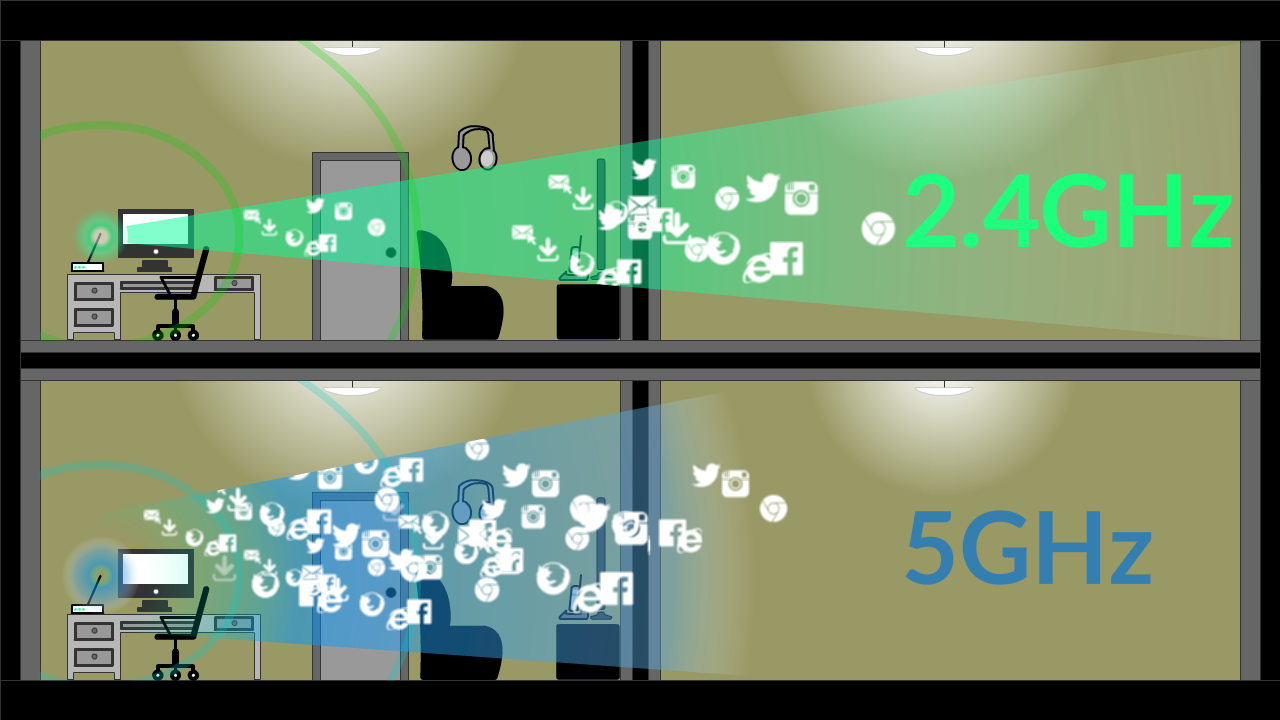
Source (Tecmundo): https://img.ibxk.com.br/2014/08/12/12183931075134.png
So, when a Wi-Fi device connects to the network, there’s a process of exchanging information through electromagnetic waves, making it possible to watch movies, make calls, and browse the internet. Understanding wireless network standards and how they work helps with purchasing equipment, both for corporate and residential use.
Interested in learning how to properly design a wireless network? That could be the topic for our next post. Or you can get in touch with us, since we specialize in high-performance wireless network projects.