
Types of Malware and How to Protect Your Computer
In this post, we want to tell you a bit more about the types of malware and how to protect your computer. Before continuing, we recommend reading our previous post on cybersecurity, “Virus or Malware? Understand the Difference“.
-
Ransomware
Let’s start with the most famous one, you’ve probably already heard about a “hacker” attack using Ransomware. It basically hijacks data, encrypts files, and later demands a ransom. One of the most famous recent attacks using this type of malware was WannaCry (2017), which threatened numerous services such as airports, governments, and private companies. It infected the network by replicating itself across computers through a Windows vulnerability called ms17_010_eternalblue, giving the ransomware full access to the computer. Once inside, the ransomware encrypted the computer’s data and demanded a ransom in bitcoin from victims. WannaCry charged around $300-600 to decrypt victims’ files, and there were more than 300,000 recorded infected computers around the world. Below is an image of the warning that appeared on victims’ computers:

Note: WannaCry ransomware can also be considered a worm, since it replicated itself across the network.
(Image taken from: https://www.techtudo.com.br/listas/2017/05/o-que-voce-precisa-saber-sobre-o-ransomware-wannacrypt.ghtml)
-
Worm
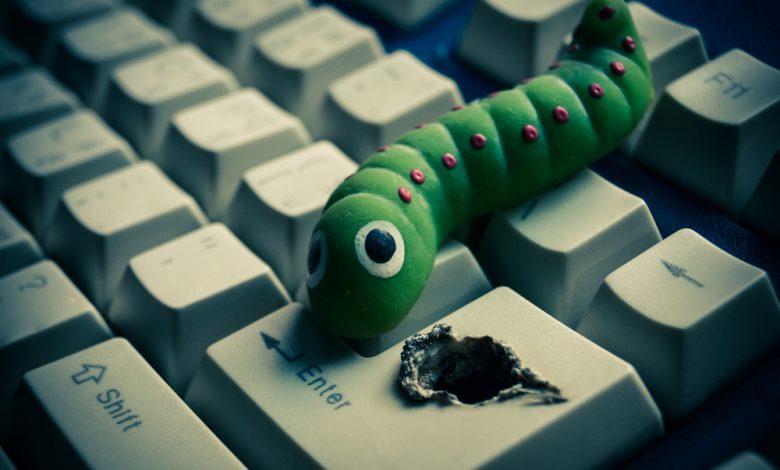
A worm is a true nightmare when it infects a computer on the network. It was designed solely and exclusively to “survive,” and as mentioned above, its goal is to replicate itself across the network, which can not only overload the network but also open the door to other vulnerabilities. Worms take up disk space, memory, and bandwidth. They can delete/modify files, spy on computers, or turn them into “zombies” through a botnet.
For sysadmins’ nightmare, the only way to prevent a worm from spreading is to isolate the network’s computers and treat each one individually until the threat is eliminated.
-
Trojan
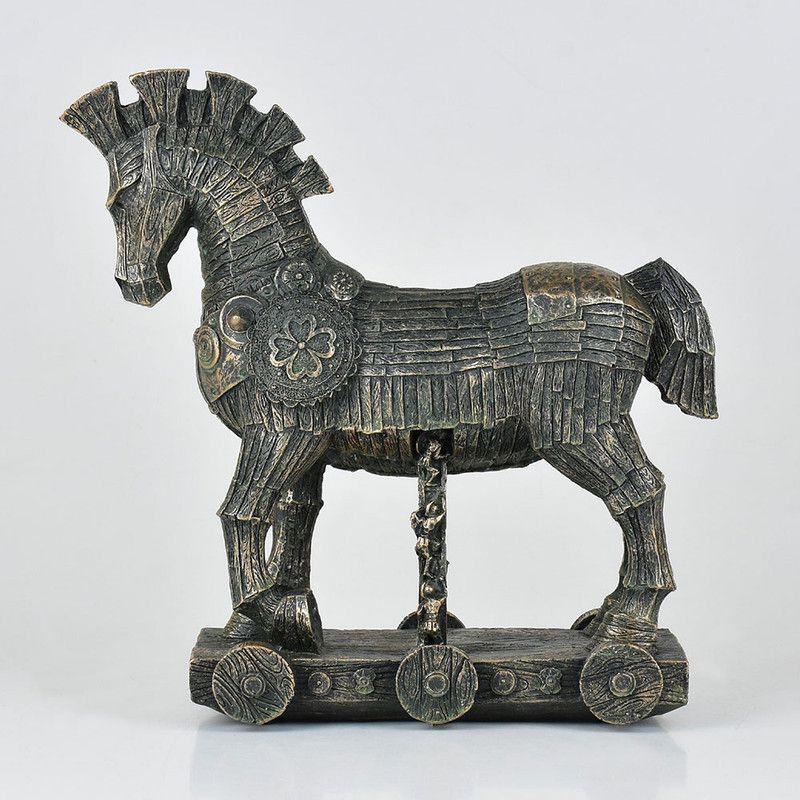
A bit of history: the defenses of the city of Troy were extremely fortified and virtually impenetrable. With that in mind, the Greeks had the brilliant idea of building an enormous wooden horse to present to the Trojans, who happily accepted the gift. The clever part is that hidden inside the sculpture were dozens of soldiers.
Later that day, the soldiers emerged from inside the horse and conquered the city of Troy, giving rise to the term “Greek gift“: a harmless-looking gift that hides a terrible, elaborate plan inside it.
The Trojan horse in the digital world, or simply “trojan,” is malicious software that disguises itself as a legitimate program. But once opened, it infects and takes full control of the victim’s computer, giving the attacker countless possibilities.
A trojan can be any website, media file, or document designed to catch your attention and induce you to download it. The attacker can modify, read, and delete files on the computer, access the victim’s computer in real time, install other programs, and so on.
(Image taken from Wikipedia)
-
Rootkit
A rootkit is malware designed to give crackers/hackers access to a specific device. It’s also one of the hardest types of malware to remove from a computer.
This happens because a rootkit installs itself in both the hardware and firmware of a computer, making removal extremely difficult. Because of this, many technicians, due to a lack of knowledge in the field, end up simply reformatting the computer when a client brings in a machine with some type of virus. If it’s a rootkit, this won’t solve the problem, since even after reformatting, the rootkit keeps running on the computer’s hardware. So, if you suspect your computer has malware, we recommend sending it to specialists in the field so they can properly diagnose and identify the source of the attack and guide you.
-
Adware
Adware is malware that generally stays in the victim’s browser. It displays various fake ads such as promotions, virus warnings, and, in some cases, sexual content ads. Its main goal is to grab the victim’s attention and get them to click the ad, which will redirect them to a phishing site or trigger the download of some malware.
Although relatively harmless (since it depends on the victim clicking the ad), this type of malware is quite annoying, mostly because it’s visually intrusive and over the top.

How can I protect myself from malware?
Keeping these types of malware in mind, let’s talk about a few ways to protect your computer. There’s no completely effective way to browse without being exposed to some malware risk; perhaps the only way is to not use a computer at all. However, “nothing ventured, nothing gained,” so here are a few tips to help you keep your computer more secure.
- Keep your operating system and applications always up to date.
- Avoid piracy; use only original products.
- Don’t lend your personal computer/phone to anyone.
- Never click a link from a pop-up.
- Avoid visiting unknown websites.
By using your computer this way, you can protect it and avoid most problems, but remember… there’s no such thing as a fully secure system.
That was our post on “types of malware and how to protect your computer.” Thank you for reading this far, and if you’d like to learn more about this security topic, keep an eye on our new posts or get in touch with us.
Firewall, What Is It?
What is it?
A firewall is a device that secures the network, restricting traffic to the internet and to the local network. It works by blocking or allowing access according to predefined rules. Its operation helps prevent malicious actions and stop any user from performing unauthorized actions.
How Firewalls work
Firewalls can be seen as barriers, funneling traffic so that each piece of information passing through can be analyzed. This way, it decides what’s considered safe or dangerous. The main goal of a firewall is to protect devices connected to the local network from threats present on the internet (Ransomware, Spyware, Viruses, and Botnets).
Types of Firewall
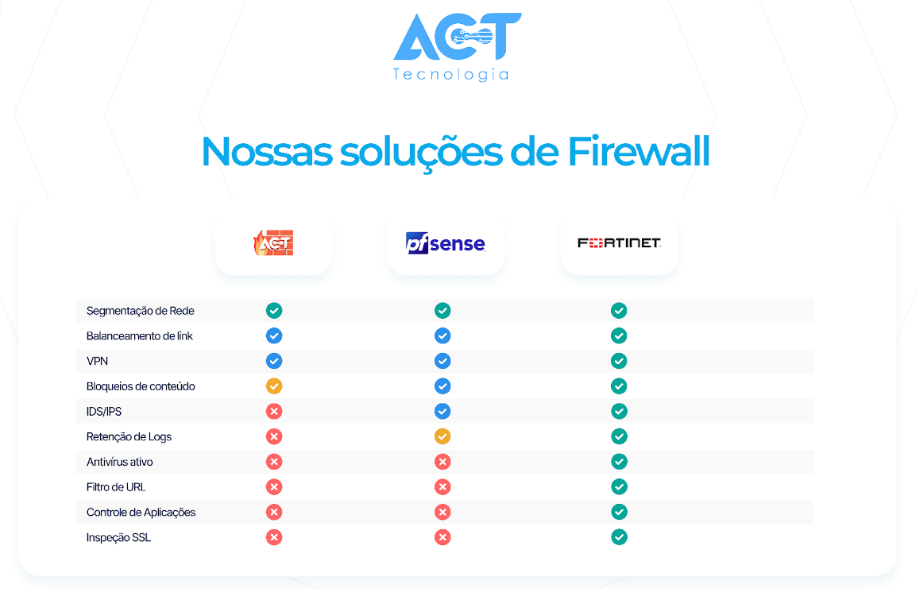
ACT Tecnologia has three firewall options available in its cybersecurity portfolio. Each solution has characteristics to meet the specific needs of each company/segment.
Why are firewalls important?
The ease of access through the internet allows companies to carry out banking transactions, file sharing, and access to ERP systems. Unprotected networks are vulnerable to malicious actors and can expose private information. Firewall tools are able to act proactively, inspecting all network access, thus protecting the network against cybercriminals.
Besides security, what other functions does a firewall have
Firewalls were created to inspect network traffic, ensuring secure access. However, they’ve taken on other functions to keep the network stable and available.
Smart internet link balancing: they allow the use of more than one internet link, operating intelligently in case of provider failures.
Connection to cloud structures: the connection between local and cloud environments can be made through firewall solutions. Learn more about SD-WAN here
Network segmentation: segmenting the corporate network from the guest network is essential to ensure protection.
Antivirus protection: they’re able to identify and block viruses circulating on the network, preventing them from reaching computers on the network.
Remote connection: allowing secure access for employees who work remotely or clients who need to use internal company resources.
ACT Tecnologia is an official partner of the best Firewall solutions on the market, recognized for delivering solutions that make a difference in day-to-day corporate operations. Get in touch and schedule a test of our solutions.
Virus or Malware? Understand the Difference!
Most IT professionals have often heard phrases like “My computer has a virus!” or “My computer has Malware!”, especially when working in support. During these statements, a small doubt arises: what’s the correct way to refer to malicious software? The answer is “it depends”; the term virus is used because it’s easy for the general public to understand, whether due to media influence or in informal conversations.
And no, even though Malware sounds like it, it’s not necessarily the most technical way to refer to a spyware program.
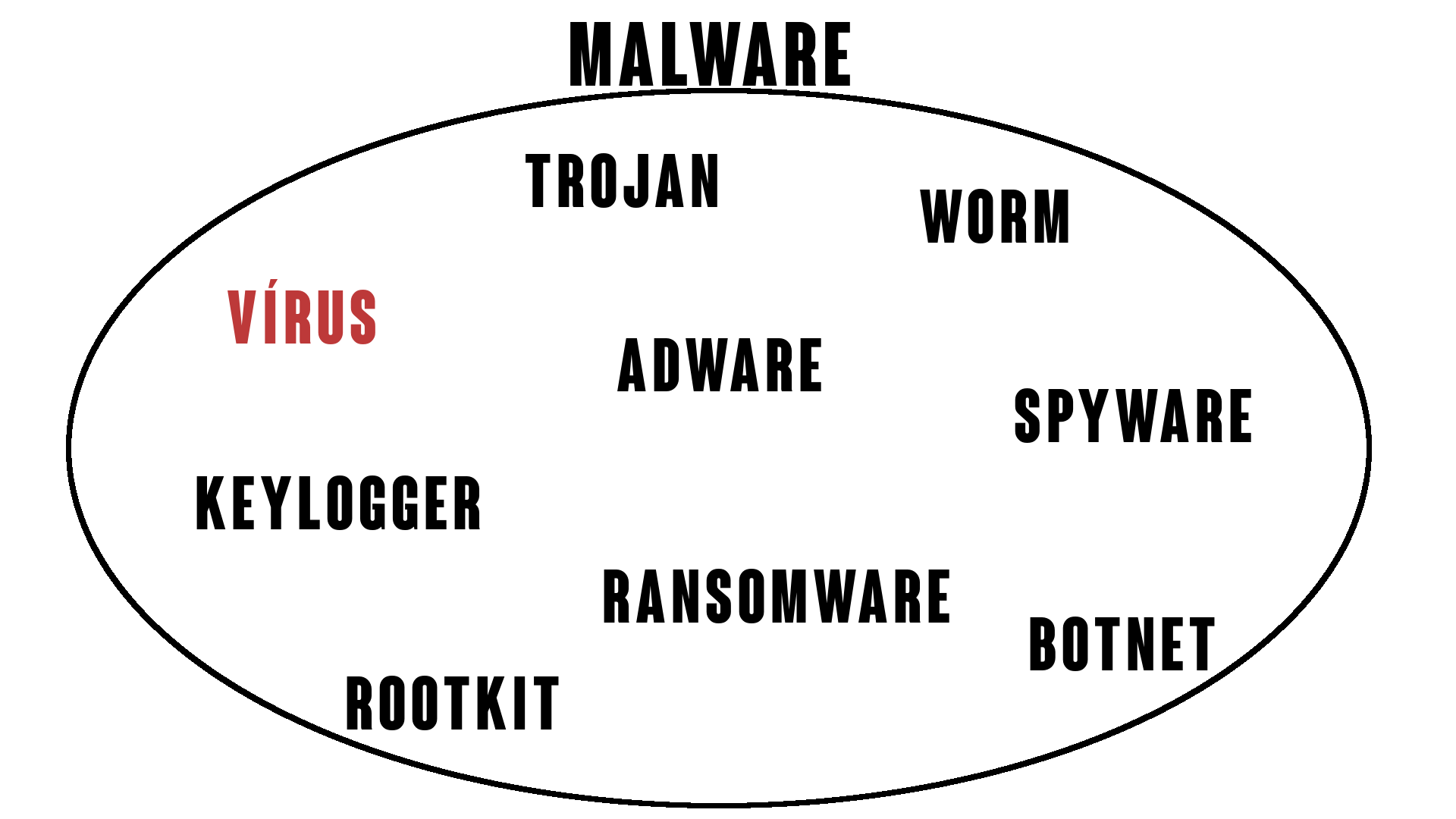
First, we need to understand that Malware is the term that refers to any type of dangerous program that attacks computers. It’s a combination of two words, malicious and software (malicious software). Similarly, a virus is a type of Malware whose goal is to multiply across the network, behaving similarly to a real-life virus in the human body.
So Malware is the more generic term to categorize any type of unwanted program; therefore, it’s possible to say that every virus is a Malware, but not every Malware is a virus.
Does this mean there are more types of Malware?
Exactly, there are several other specific categories with unique characteristics, just like computer viruses, which also have subcategories. There can even be Malware that carries more than one specific characteristic, called “hybrid Malware.” That was the case with the “WannaCry” Ransomware, which in 2017 infected around 200,000 computers in 150 countries, clearly being a combination of a Ransomware and a Worm.
Curious about the other types of Malware? Stay tuned for upcoming posts to learn more.
Backup: Get to Know the Three Types
Full, Incremental, and Differential
It’s not uncommon to come across organizations, most often small ones, that don’t have or don’t know about their data backup routines.
This usually happens due to a lack of awareness about the importance of this tool, which provides security for information. And it’s often only after some kind of data loss incident that people start to worry about the subject.
Having a backup strategy is a task that should be taken seriously. And for that, you need to know the right tools and methods for each scenario.
Types of Backup
Full Backup
We call it a Full Backup when it’s a complete copy of all stored data, regardless of whether any changes were made to it or not. This means there will be several identical copies of the same file. As a result, more storage space will be needed, and the process’s execution time can be quite long, depending on the volume of data copied.
With that in mind, as a way to get around these problems, we have incremental and differential backups.
Incremental Backup
With Incremental Backup, each routine only copies files that have changed since the last backup, whether that was a full or incremental one. This way, less storage space is used and it takes less time to run.
However, when it’s time to do a full restore of the data, all backup fragments will need to be put back together, which can be more laborious.
Differential Backup
Differential Backup, on the other hand, compares each routine against the last full backup, copying only the information that’s changed since then. Although it generates some data duplication, the advantage of this method lies in the restore process. To fully recover the data, you’ll only need the last full backup and the last differential backup fragment performed.
It’s worth noting that, regardless of the type of backup chosen, at least one full copy of the data is required, meaning the full backup needs to be run at least once.
Besides paying attention to the types of Backup, there are other factors that should be considered when deciding how it will be performed, such as the best times to run it and where to store it, for example.
Still unsure about the best backup strategy for your organization? Get in touch with ACT Tecnologia. We have a specialized team ready to meet your needs.